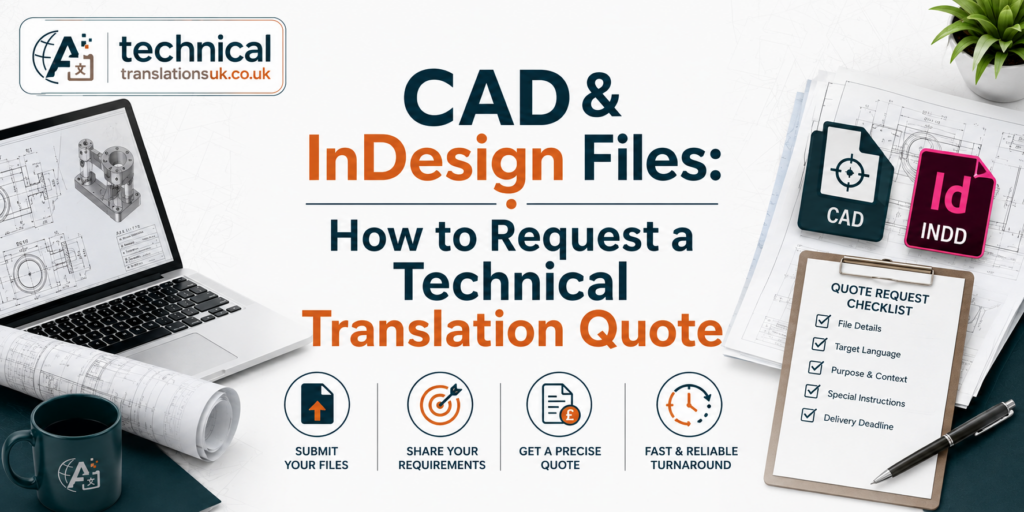
Requesting a technical translation quote for CAD and InDesign files should be a straightforward process. Yet, as technical document translation specialists at Technical Translations UK, we regularly see engineering teams and project managers face unexpected costs, missed deadlines, and broken layouts.
The reason is simple: modern translation software cannot read raw design files without the right preparation.
When you send raw files without formatting them correctly, translation agencies must spend hours manually extracting text. This drives up your project costs and delays your timeline.
With years of experience handling heavy engineering and manufacturing documentation, we have built this guide to show you exactly how to prepare and upload Computer-Aided Design (CAD) and Adobe InDesign files. Following these steps ensures you get an accurate, fast, and competitive B2B translation quote every single time.
Quick Answer: To get a fast, accurate technical translation quote without extra formatting costs, prepare your files using these three simple steps before uploading:
- For InDesign: Export your document to IDML format and use the “Package” tool to collect all fonts and linked images.
- For CAD: Convert drawings into a clean DXF format and merge external links using the BIND command.
- For Reference: Include a high-resolution PDF of your layout for visual context, then compress all files into one ZIP folder.
1. Why Raw CAD and InDesign Files Delay Your Translation Quotes
In our daily workflows, we use advanced Computer-Assisted Translation (CAT) tools. These software applications do not replace our human translators. Instead, they help our language experts work efficiently by saving approved industry terms and organising text into clear, readable segments.
CAT tools easily read standard text formats like Word or Excel. However, raw software files like .indd (InDesign) or .dwg (AutoCAD) often lock text inside complex design layers.
If you upload raw files directly to a vendor, three major issues occur:
- Quoting Delays: The agency must manually count words across complex drawings, which can take days.
- Hidden Costs: You will be charged extra fees for manual file preparation and copy-pasting.
- Layout Corruption: Font sizes change, text boxes overlap, and vital links break during the transfer.
By preparing your files before uploading them, you allow our software to analyse the text instantly. If you need help with the wider project, our technical translation services can handle the translation from prepared files through to final delivery.
2. Step-by-Step: Preparing Adobe InDesign Files for Translation
Adobe InDesign is the global standard for product catalogues, data sheets, and user manuals. Product marketers and technical writers often make the mistake of uploading just a solo .indd file. Here is the exact method we prefer you use:
[Your InDesign File] ──> Save As ──> [IDML File] ──> Run “Package” ──> [ZIP Folder]
Export to IDML Format
Never send only the .indd file. Always save your document as an IDML (InDesign Markup Language) file. Go to File > Save As and select InDesign Markup Language (IDML). You can also refer to Adobe’s official InDesign guidance on IDML for more information. Our CAT tools open IDML files instantly, extracting the text for translation and exporting the translated text back into the exact same layout.
Use the “Package” Feature
Your InDesign document relies on external links for images and specific brand fonts. If these are missing, the translated document will display error messages and broken graphics. Go to File > Package. This tool automatically creates a single folder containing:
- Your original .indd file.
- The new .idml file.
- A “Links” folder with all graphics and images.
- A “Fonts” folder with all typography.
Set Up Flexible Text Frames
Technical writers should avoid tight text boxes. Leave extra space at the bottom and sides of your text frames. This prevents text from clipping or disappearing when it converts to a longer language.
3. Step-by-Step: Preparing CAD Drawings for Technical Translation
CAD drawings—such as blueprints, electrical schematics, and engineering plans—require absolute precision. Missing a single translated label can disrupt an entire manufacturing line. Based on our experience, CAD engineers should always follow these steps before uploading files:
Convert to DXF Format
While our team can handle raw .dwg or .dgn files, converting your drawings to DXF (Drawing Exchange Format) is the safest route. DXF strips away proprietary software code, leaving a clean text format that our translation tools can scan without errors.
Bind External References (Xrefs)
Engineering drawings often use Xrefs to pull data from other project files. If you upload a CAD file without its Xrefs, parts of the drawing will appear completely blank to the translator. Use the BIND command in AutoCAD to merge all external references directly into the primary drawing file.
Manage and Label Your Layers
Clearly define your drawing layers. Create a clear note for the translation vendor stating which layers require translation (such as annotations, callouts, and parts lists) and which layers should remain untouched (such as dimensions, architectural grids, or background geometry).
4. The Critical Role of CAD and InDesign Reference PDFs
Always include a high-resolution PDF export of both your CAD drawings and InDesign layouts.
Translators do not look at text strings in a vacuum; they need visual context. A single word like “Drive” could mean a car journey, a computer hard drive, or a mechanical component.
| WHY INCLUDE A PDF? | |
|---|---|
| Without PDF Reference | With PDF Reference |
| • Guessing word context | • Exact visual context |
| • Blind layout placement | • Sees spacing constraints |
| • High risk of errors | • Accurate callout matching |
A reference PDF allows our translation team to see exactly where each piece of text sits on the page. We use them to identify callout arrows, view image placements, and ensure the translated phrase matches the visual object perfectly.
5. Planning for Text Expansion and Layout Changes
Different languages require different amounts of physical space. Product marketers and project managers must plan for this structural change before requesting a quote.
Language Growth Statistics
When translating from English into languages like German, French, or Spanish, the text volume typically expands by 20% to 30%. A short English phrase like “Read instructions carefully” becomes much longer in German (“Bitte lesen Sie die folgenden Anweisungen sorgfältig durch”). If your original InDesign layout is packed tightly, the translated text will overlap or spill out of the design boundaries.
Right-to-Left (RTL) Layouts
If you are translating into languages like Arabic or Hebrew, the entire layout must flip. The text reads from right to left, and images, logos, and columns must mirror their original positions. Mention this specific requirement during the quoting stage so we can allocate the right technical layout resources.
6. What is Desktop Publishing (DTP) and Do You Need It?
When you upload CAD or InDesign files, you must decide who fixes the visual layout after the translation is complete. This process is called Desktop Publishing (DTP).
Even with perfect file preparation, text expansion means the newly translated document will need visual adjustments. Fonts might need resizing, text boxes will require expanding, and hyphenation rules must be checked by a native speaker.
Your Two Choices for DTP:
- Internal DTP: You receive the translated .idml or .dxf file back from us and have your own in-house design team adjust the layout.
- Outsourced Agency DTP: Our team handles the formatting. Our specialized DTP experts adjust the files and deliver a production-ready document that matches the original design perfectly.
Outsourcing DTP to the translation agency is highly recommended for complex technical documents. It saves your internal design team days of tedious work and ensures that line breaks do not accidentally alter technical meanings.
7. Secure File Transfer: Protecting Enterprise IP
Technical documentation often contains highly sensitive intellectual property, such as unreleased product specifications, patented engineering designs, or proprietary software workflows.
Avoid Email Attachments
Standard email is insecure and frequently rejects large CAD packages or compressed InDesign folders due to strict file size limits.
Use Secure Channels
Ensure your translation vendor offers a secure file transfer method. At Technical Translations UK, we protect your data using:
- Encrypted Client Portals with unique user logins.
- Secure cloud storage links (such as enterprise-grade OneDrive or ShareFile).
- Signed Non-Disclosure Agreements (NDAs) before you upload any proprietary files.
Final Checklist for Requesting Your Translation Quote
Before you upload your files to get a quote, use this quick checklist to ensure everything runs smoothly:
- InDesign files are saved as .idml formats.
- InDesign packages are created to include all fonts and linked images.
- CAD drawings are converted to .dxf files with all Xrefs bound.
- Reference PDFs are generated for every file you want translated.
- Clear instructions are written regarding layer management and RTL language needs.
- All files are compressed into a single, organised ZIP folder.
- A secure link or portal is prepared to protect your intellectual property.
Frequently Asked Questions (FAQs)
1. Can I just upload a PDF of my CAD drawing or InDesign layout for a quote?
Yes, you can upload a PDF to get an initial price estimate. However, a PDF is a non-editable format. To perform the actual translation and deliver the final files back to you, we will ultimately need the original source files (.idml for InDesign and .dxf or .dwg for CAD). Providing the source files from the start ensures the most accurate quote.
2. What happens if the translated text does not fit into my original InDesign layout?
This is a very common issue known as text expansion. Languages like German or French can take up to 30% more space than English. If you choose our Desktop Publishing (DTP) services, our design experts will manually adjust text boxes, resize fonts safely, and fix margins to ensure the new language fits beautifully without changing your original brand design.
3. Will my specialized engineering terms and technical jargon be translated accurately?
To ensure total accuracy, we use specialized technical translators who possess engineering or industry-specific backgrounds. Additionally, we utilize Translation Memory (TM) tools and terminology glossaries. If you have an existing list of approved industry terms or a preferred style guide, uploading it alongside your files will guarantee absolute consistency.
4. Why should I use DXF instead of DWG for CAD translations?
While advanced translation software can process .dwg files, the .dxf (Drawing Exchange Format) is an open-standard format. It strips away complex, proprietary software code and leaves a clean text structure. This allows our translation tools to extract strings flawlessly without risking file corruption or losing text hidden deep within complex design elements.
Ready to Translate Your Technical Projects Without the Hassle?
Don’t let complex file formats delay your product launches or drive up localization costs. At Technical Translations UK, we specialize in seamless technical translations for engineering blueprints, product manuals, and corporate catalogues.
With decades of collective specialist experience, our team handles everything from secure file parsing to expert Desktop Publishing (DTP)—delivering production-ready CAD and InDesign files directly to your inbox.
👉 Get a Fast, Free & Secure Translation Quote Today
Upload your packaged ZIP files via our secure client portal, and our technical localization team will provide a transparent, line-item estimate within 24 hours.